

Help centre

How can we help?

Answers about ordering, paying, delivery, invoices, stamps and your machine, and the how-to videos for Ruby and Trodat stamps.

Track an order Where your parcel is, with the courier link. Get a quotation Itemised, usually within one working day. Book a service An engineer visit for your machine. Find a manual Manuals, data sheets and safety sheets. Ask on WhatsApp Sunday to Thursday.

Ordering and quotations

Quotations, purchase orders, trade accounts and seeing a machine first.

How do I get a formal quotation?

Add what you need to your quotation list (the document icon at the top of every page, or Add to quote on a product), then send the list as one request. You can also describe the job in the request form.

We reply with an itemised quotation, usually within one working day.

Request a quotation
Why do some products say “Price on request”?

Machines and larger equipment are quoted for your situation: the exact model and options, delivery to your site, installation and training. Add the product to your quotation list and we send the full price in writing.

Open your quotation list
Can I accept a quotation online?

Yes. Quotations we send appear in your account under My quotations. Open one to accept it, add your purchase order number if you have one, and choose to pay online or by bank transfer.

Go to My Lawazen
Do you work with purchase orders, tenders and vendor registration?

Yes. Government bodies and companies buy from us on purchase orders. Our Contact page has a desk for tenders and vendor registration, and our registration details (CR and VAT numbers) with a copy button for your supplier forms.

Tell us if the quotation needs a tender reference or a validity period.

Supplier details
Do you have trade prices for businesses?

Registered businesses can open a trade account: send your commercial registration and VAT number, and once the account is approved you see trade prices when you sign in.

About trade accounts
Can I see a machine before I buy it?

Yes. Book a visit to our Riyadh showroom and bring your own material: we run it on the machine so you see the result before you decide. If you are not sure which machine fits, the solution finder asks a few questions and suggests one.

Visit the showroom

Paying

Tabby, bank transfer and what to do if a payment fails.

How can I pay?

At checkout you see every payment option available for your order, including Tabby to split the payment into instalments. Business orders can also be paid by bank transfer against a quotation.

Prices on the website do not include VAT. 15% VAT is added at checkout.

How do I pay by bank transfer?

Open your cart and choose Get a formal quotation. We send it with our bank details, usually within one working day. Make the transfer, then send us the transfer reference and we confirm the order as soon as the money arrives.

Our bank letter is on the Bank details page.

Bank details
What is Tabby?

Tabby lets you split the payment into instalments. Choose Tabby at checkout and it shows your plan before you confirm. Approval is decided by Tabby.

My payment failed. What should I do?

Most failed payments come from the card itself: a spending limit, online payments switched off, or the bank's verification code not being completed. Try again, try another card, or pay by bank transfer instead.

If it keeps failing, send us a message on WhatsApp with your cart and we will help.

Message us on WhatsApp

Delivery and pickup

Costs, timing, the National Address code and machine installation.

How much does delivery cost?

Inside Saudi Arabia, by the weight of the order:

  • Up to 10 kg: 25 SAR
  • 10 to 20 kg: 35 SAR
  • 20 to 30 kg: 50 SAR

Orders over 30 kg (machines, heat presses, printer bundles) go by freight, and we confirm the delivery cost before dispatch. Collecting from our Riyadh warehouse is free.

How long does delivery take?

Usually 1 to 3 working days after the order leaves Riyadh. You get an email with the tracking number when it ships.

Track your order
What is the National Address short code, and why do you need it?

It is the 8-character code of your address, for example RRRD2929. Couriers in Saudi Arabia need it to deliver, and can refuse a parcel without it.

You find it in the Absher app or on the Saudi Post (SPL) National Address website. Enter it in the second address line at checkout.

Can I collect my order instead?

Yes. Choose pickup at checkout and collect from our Riyadh warehouse at no charge. We let you know when your order is ready.

Where is my order?

Sign in to see all your orders and their tracking, or paste the tracking number from your shipping email. You can also send us your order number on WhatsApp.

Track your order
How are machines delivered?

Machines are delivered and installed by our engineers, and the price includes installation and operator training. Before delivery we confirm the room, power and extraction with you, so the machine can run the day it arrives.

Pre-install guide
Do you deliver outside Saudi Arabia?

Small orders show their delivery price at checkout. For machines and larger orders to the GCC or elsewhere, ask for a quotation that includes delivery.

Request a quotation

VAT and tax invoices

VAT, your tax invoice and our supplier documents.

Do prices include VAT?

No. Prices on the website are before VAT. 15% VAT is added at checkout and shown on your tax invoice.

Will I get a tax invoice?

Yes, for every order. We issue it shortly after you order, before it ships. Download it from the order page in your account; the shipping email links to it too.

Your orders
I need the invoice in my company's name.

Before you order, send us the company name and VAT number on WhatsApp or through the accounts desk, and we issue the invoice to the company. If an invoice has already been issued with the wrong details, send us the order number and we correct it.

Contact accounts
Where can I get your CR, VAT certificate and other supplier documents?

Our registration numbers are on the Contact page with a copy button for each. Documents such as the CR, VAT certificate and Trotec distributor letter are sent on request.

Supplier details

Returns and problems

What can come back, and what to do if something is wrong.

Can I return something?

Yes, within 7 days of delivery, if the item is unused and in its original packaging. Contact us first with your order number and we arrange it.

These cannot be returned:

  • Stamps and anything made to your design
  • Personalised or printed products

For machines, contact us before anything else: our engineers will look at the problem with you.

Message us on WhatsApp
Something arrived damaged, wrong or missing.

Tell us as soon as you can, with the order number and photos of the parcel and the item. Keep the packaging until we have replied. We sort it out with you and the courier.

Message us on WhatsApp
How do refunds work?

Once the returned item reaches us and has been checked, we refund it to the way you paid.

Stamps

Designing a stamp, official stamps and Trodat care.

How do I design a stamp?

Use the stamp designer: pick the stamp, choose a template or upload your own artwork, and see it at real size before you order. It warns you if any text is too small to print cleanly.

Design your stamp
What do you need for an official company stamp?

Anyone can order one here, but we check the company's paperwork first. Upload the commercial registration in the designer; for a stamp that carries a licence number, also the professional licence. We check them before production starts and contact you if anything is missing.

Design your stamp
How do I change the ink or set the date on my Trodat stamp?

Every common model has a short video from Trodat in the video library below: ink cartridge changes, date setting and date band height for the Professional, Printy and Classic ranges.

Watch the stamp videos
Which replacement ink pad fits my stamp?

Trodat pads are named after the stamp model: a Printy 4911 takes a 6/4911 pad. Search the shop for your stamp's model number, or send us a photo of the stamp on WhatsApp and we will tell you.

Message us on WhatsApp

Machines, service and parts

Warranty, service visits, spare parts, manuals and Ruby.

What warranty comes with a Trotec machine?

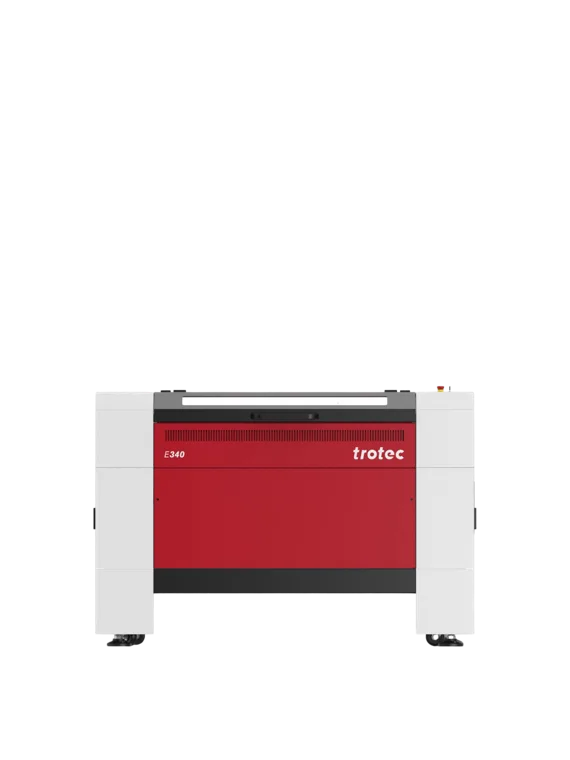
Trotec machines come with the manufacturer's warranty. As Trotec's authorised distributor in Saudi Arabia, Lawazen's own engineers carry out the warranty work and servicing here. The terms for your machine are on your quotation.

How do I book a service visit?

Request a visit and tell us the machine and what is happening. We confirm the date and any parts first. After the visit you get a service report with the work done and anything the machine will need next.

Book a service visit
How do I order spare parts?

Find your machine in the spare parts book, add the parts you need and send them as a quotation request. Including the machine's serial number from the type plate helps us send the right part first time.

Spare parts
Where are the manuals and data sheets?

Operating manuals, data sheets and safety data sheets for every machine and material we supply are in one place.

Find a document
What is the QR plate on my machine?

Machines we install carry a Lawazen plate. Scanning it shows that machine's service history and due dates, and lets you ask for a service visit or parts without looking up the model or serial number.

How do I learn Ruby?

Ruby is Trotec's laser software. The video library below walks through every screen in order, then the common fixes. For hands-on training on your own machine, book an applications training course.

Watch the Ruby videos
How should I look after my laser?

Keep the lens and mirrors clean, keep the extraction running, and never leave the machine cutting unattended. The care videos show the routine cleaning step by step, and our laser safety guide covers fire, fumes and interlocks.

Laser safety guide

Training

Courses, online learning and education.

What training do you offer?
  • Applications training: a full day on getting good results from the machine
  • Materials training: half a day on how materials behave
  • PD days for teaching staff
  • On-site training at your company
  • Online courses with a certificate, in your account

Operator training is included when we install a machine.

Applications training
How do the online courses work?

Sign in, open Learning in your account and pick a course for your machine. Each course is a set of slides and a short quiz. Pass the quiz and you get a certificate number. A company account can train several people, each under their own name.

Your account
Do you work with schools and universities?

Yes. We equip labs, train teaching staff and help with curriculum and funding. The education pages cover programmes, machines and the teacher's hub.

Education

Your account

Signing in and My Lawazen.

How do I sign in?

With your email address and no password: we send a six-digit code each time you sign in.

Sign in
What can I do in My Lawazen?

Your orders and tax invoices, the quotations we sent you, your machines and their service history, your requests to us, and your online courses, in one place.

Go to My Lawazen
How do I change my address or details?

Sign in and open your profile. You can add, edit and remove delivery addresses there, including the National Address short code.

Your account

How-to videos

From Trotec and Trodat. Each plays here when you press it.

Ruby software

Start with 1 to 6 in order, then the fixes.

Design software

Preparing files in CorelDRAW, Illustrator and Rayjet Manager.

Care and maintenance

Routine cleaning that keeps a laser cutting well.

Machine walkthroughs

See a Speedy working before you choose.

Tips and techniques

Small habits that improve results.

Laser business

Planning and growing a laser business.

Trodat stamps

Ink cartridges, dates and text, by model.

News and stories

Exhibitions, new machines and projects from the Lawazen team.

All news

Still need help?

Message us on WhatsApp, Sunday to Thursday, or send a request and the right desk replies.